Every way to reach you, in one app. A floating contact button with 30 channels, a real live chat you answer from your dashboard, a form builder, polls and surveys, comments, and popups and bars, all managed from one dashboard on your Wix site.
The app is awaiting App Market review. The listing link goes live as soon as it is approved.
30contact channels
43ready templates
0branding, on every plan
One app instead of six
A site that wants a chat button, live chat, forms, polls, comments and popups usually ends up with five or six separate apps, each with its own dashboard, its own style settings and its own bill. Reachly puts all of them behind one installation, one design system and one inbox.
One dashboard
Everything visitors send, in one place
Form entries, chat conversations, call-back requests, popup signups, poll results and comments each have their own tab with search and status. Entries and poll results export to CSV on every plan.
One design
Your brand on every element
Set your colours, corner radius, font, shadow and dark mode once. Each form, poll and popup can still have its own style, and every text visitors see can be changed.
Your site
Data stays with you
Everything is stored in a collection on your own site. The app runs on Wix’s own hosting, has no server of mine and sets no tracking cookies.
Contact button
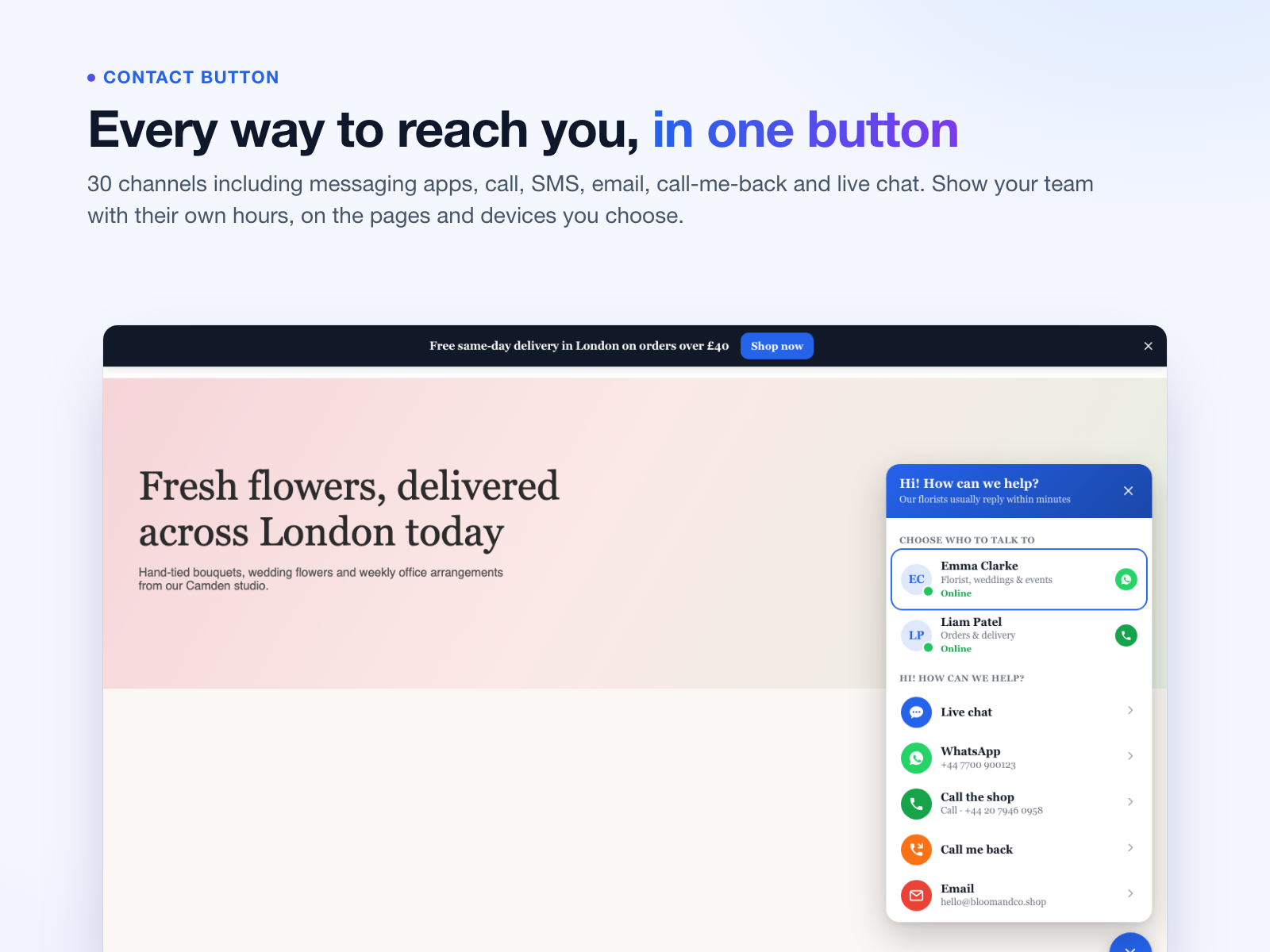
A floating button that opens the channels you choose, so visitors can reach you the way they prefer.
30 channelsLive chat, messaging apps, call, SMS, email, call me back, a contact form, social profiles, directions, a booking link and custom links
Any phone formatInternational numbers are accepted with +, spaces, dashes or a leading 00 and are cleaned up for you
Team membersShow the people behind the button, each with their own channels and opening hours. 1 on Free, 10 on Pro, 50 on Business
Opening hoursShow when you are available and send an away message outside your hours, on every plan
Pages and devicesInclude or exclude pages, choose devices and set a separate position on mobile
StyleColours, size, icon, attention effect, labels and greeting text are all yours to set
Live chat
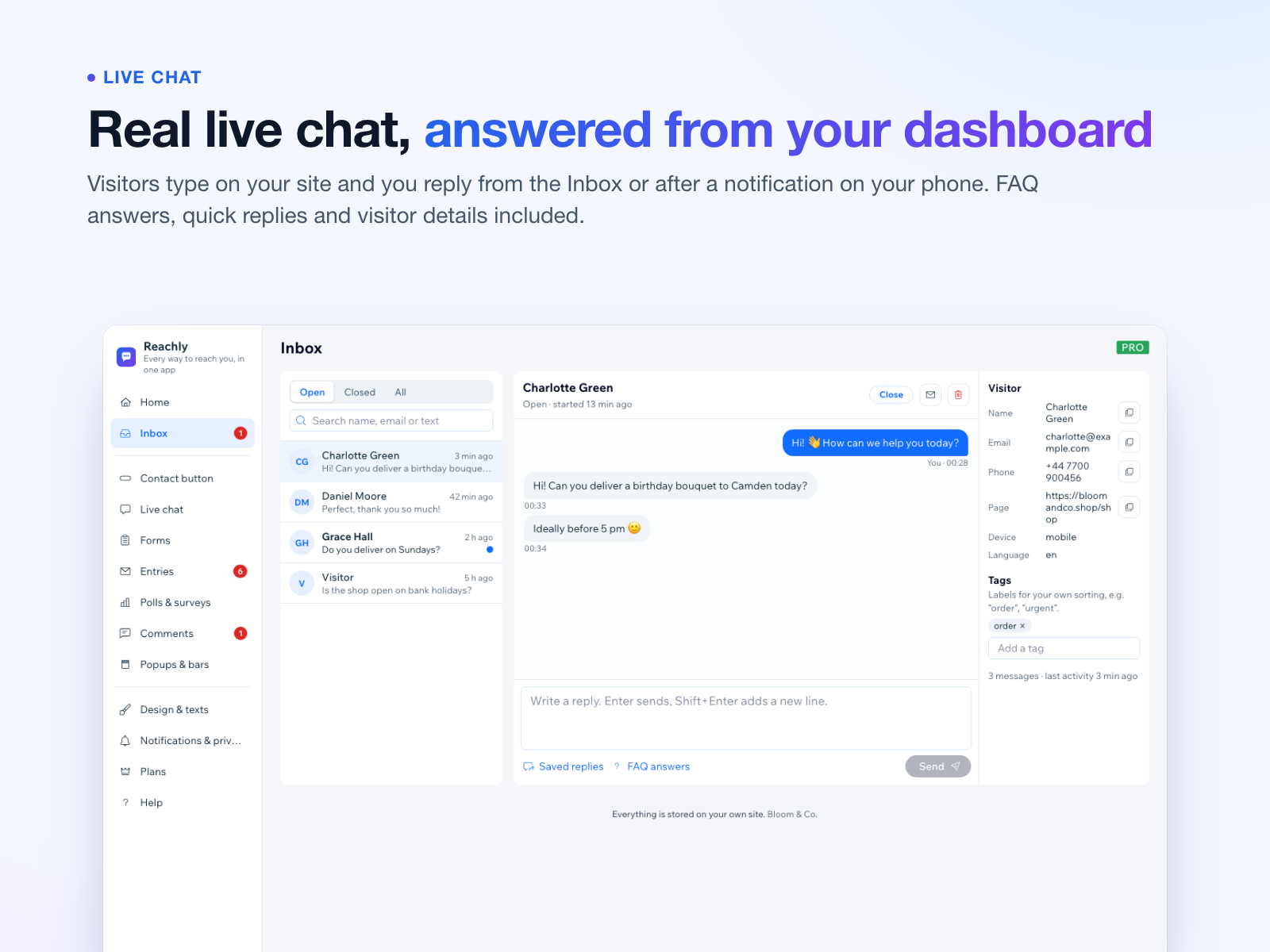
A real chat: visitors type on your site and you reply from the Reachly inbox in your dashboard.
InboxEvery conversation with the page it started on, the visitor’s device and language, tags and an open or closed status
NotificationsNew messages arrive in your Wix dashboard, the Wix mobile app and your browser
FAQ answersSuggested questions for visitors on every plan; on Pro the chat answers matching questions automatically
Away messageAn automatic reply outside your opening hours or when nobody answers in time
AttachmentsOn Pro, visitors can send images and files in the chat
ContactsWhen a visitor leaves an email or phone number, they become a contact on your site
Forms
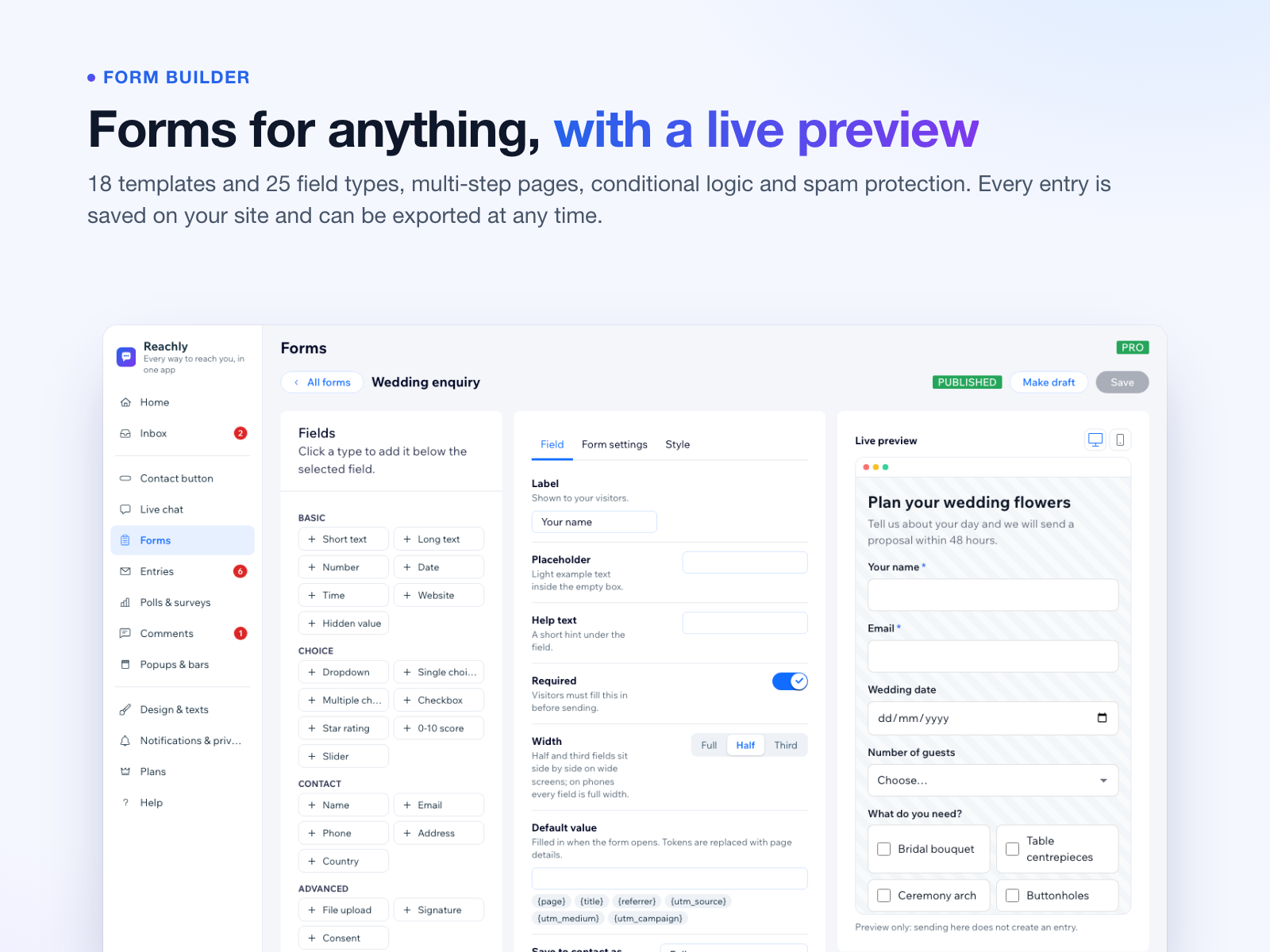
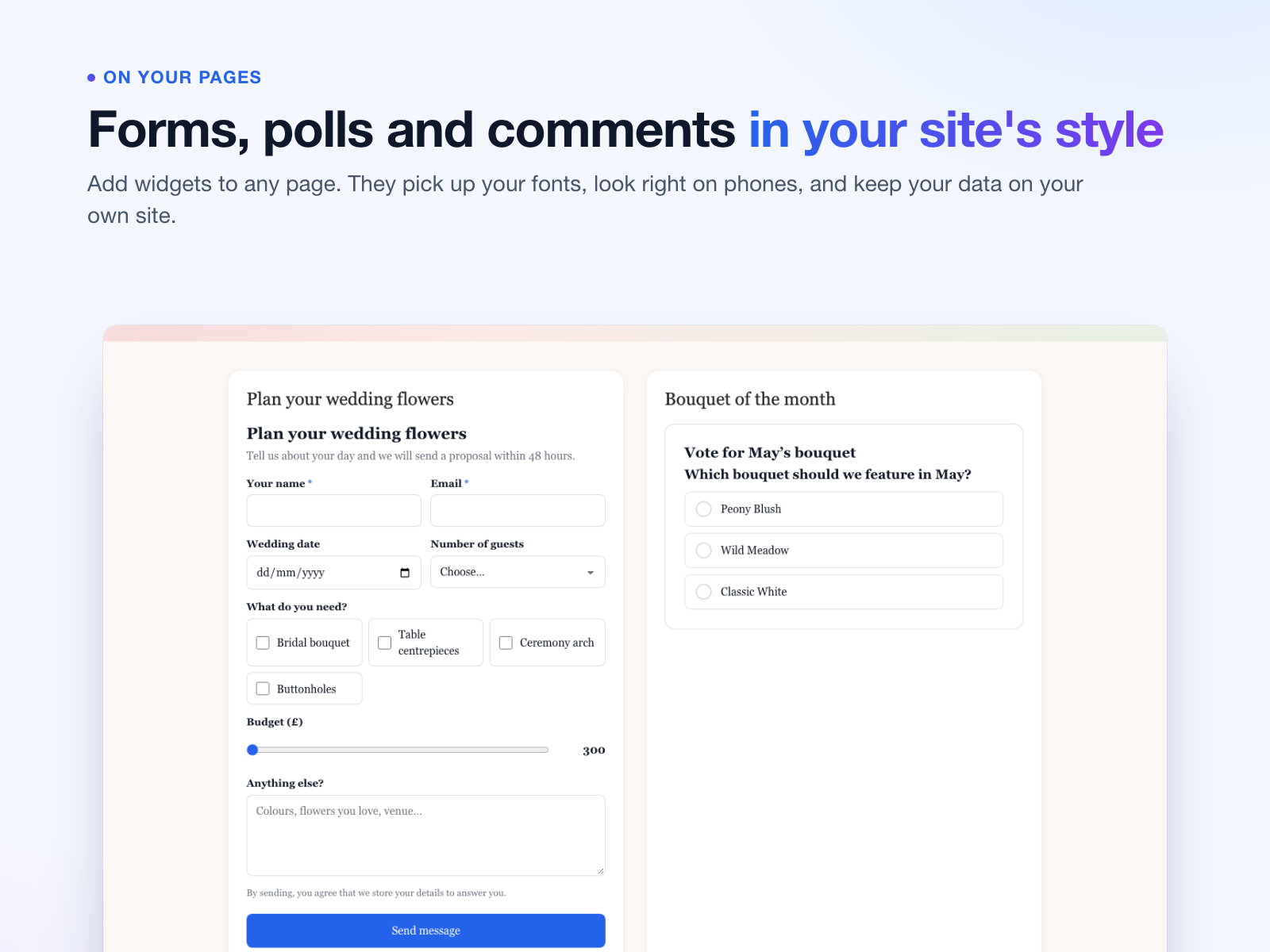
Build a form from one of 19 templates or from a blank page, then add it to any page or open it from the contact button or a popup.
19 templatesContact, quote, appointment, job application, event registration, feedback, order, support ticket, reservation, course enrollment, return request and more
25 field typesText, email, phone, number, date, time, choices, rating, score, country, address, file upload, signature, slider, consent, hidden fields and layout blocks
Multi-step and logicOn Pro, split a form into pages and show fields only when earlier answers match
File uploadsOn Pro, visitors can attach images, documents and other files, stored in your site’s Media Manager
Spam protectionA hidden trap field, a minimum fill time and blocked words keep bots out, with no puzzles for visitors
EntriesEvery entry is saved on your site, can become a labelled contact and exports to CSV on every plan
Polls and surveys
Ask one quick question or run a full survey with 9 ready templates, including a recommendation score survey and a feature request ranking.
Live resultsShow results after voting, always, never, or once the poll closes
One vote eachLimit voting to one vote per device or per site member, or allow repeat votes
SurveysSeveral questions in one survey, with a notification for every new response
Comments
Comments with replies, star ratings and likes on any page. Each page keeps its own thread, or you set your own thread key.
ModerationPublish right away or hold every comment for approval, free on every plan
Spam filterBlocked words, a link limit and a pending queue
RatingsOptional star ratings with an average shown above the thread
Popups and bars
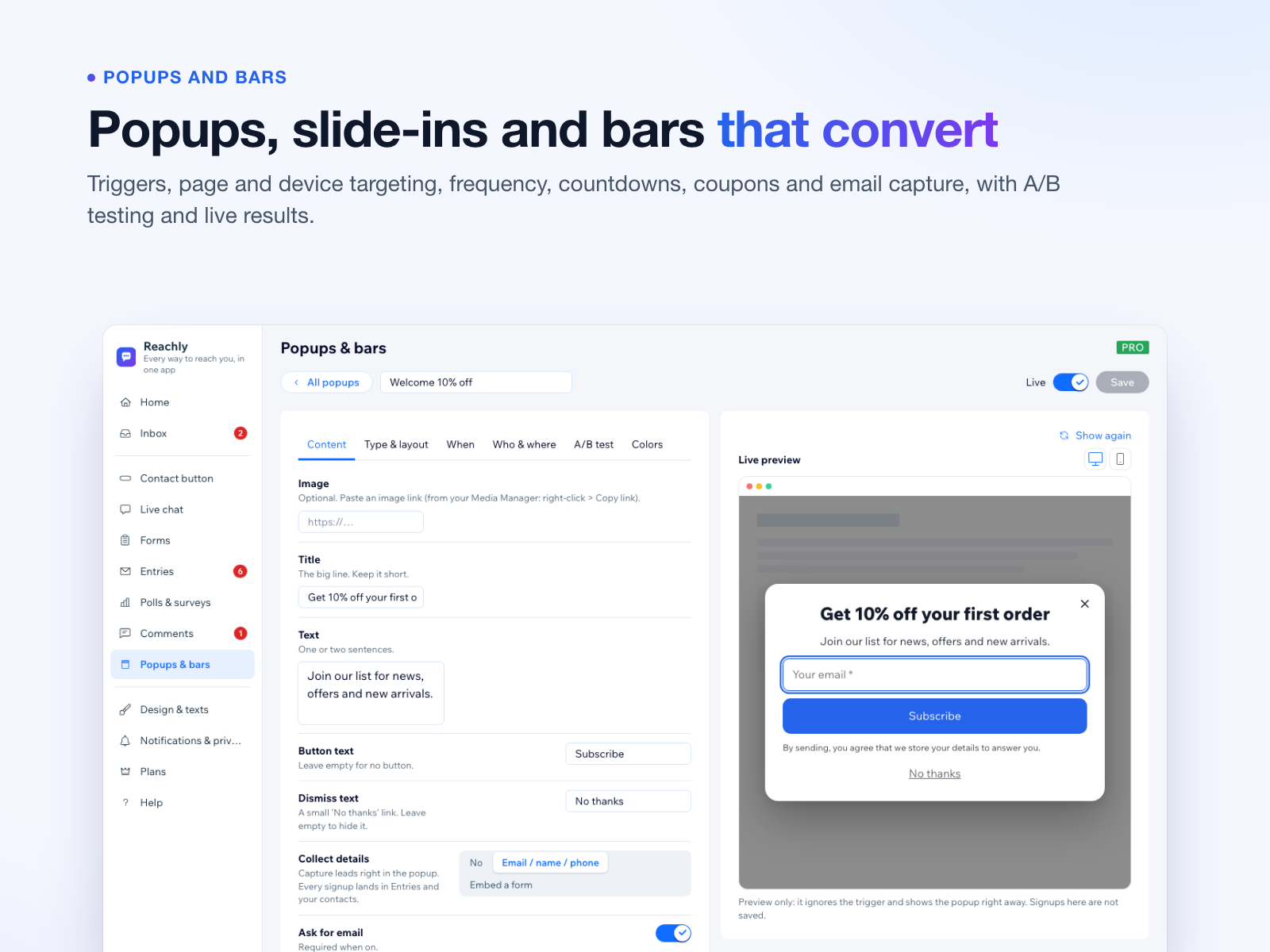
Popups, slide-ins, corner boxes, full-screen welcome mats and announcement bars, with 15 ready templates.
TriggersOn page load, after a delay, on scroll, on exit intent, after inactivity or on a click
FrequencyEvery visit, once per session, every few days or only once, and hide it after a signup
TargetingPages and devices on every plan; on Pro also traffic source, campaign, schedule and returning visitors
Countdowns and couponsAdd a countdown to a sale bar or show a coupon code visitors can copy
SignupsCollect a name, email or phone number; each signup lands in Entries and becomes a contact
A/B testsOn Business, test two versions of a popup or bar and see which one converts better
Built from 2,200 reviews
Before writing any code I read the 2,220 low-star reviews of 23 communication apps on the App Market and sorted the complaints. Reachly is designed around what people said went wrong.
Free plans that cap the basicsAbout 270 reviewsThe free plan keeps unlimited entries, messages, votes and comments. Moderation, notifications and CSV export are free on every plan. The only limit is the number of forms, polls and popups.
Widgets that do not loadAbout 230 reviewsThe same code draws each element in the editor, the preview and the live site, without an outside frame. When something fails, the dashboard shows the real reason.
Slow or missing supportAbout 210 reviewsA support address inside the app, a reply within one working day, plus a help tab and troubleshooting steps.
Pricing trapsAbout 140 reviewsBilling only through Wix plans, prices shown in the app, no usage billing and no surprise charges.
Too little stylingAbout 130 reviewsBrand colours, radius, font, shadow and dark mode, a style for each element, and every visitor text can be edited. Business adds custom CSS.
Not shown on mobileAbout 100 reviewsMobile-first design with a separate mobile position. The chat opens full screen on phones and respects the screen edges.
Settings that reset or export that breaksAbout 190 reviewsClear Save bars, a warning before you leave unsaved changes, a live preview of what is saved, and your data in your own site’s collection.
Notifications that never arriveAbout 70 reviewsAlerts go to your Wix dashboard, the Wix mobile app and your browser, and every entry also sits in the inbox. A test button lets you check it.
Comments that disappearAbout 85 reviewsEach thread is tied to the page it sits on, or to a key you choose, so comments do not move or vanish.
Uninstalling leaves things behindAbout 45 reviewsRemoving the app removes its data and its site script, so no stray button or popup stays on your site.
How to use Reachly
From install to a contact button and a form on your live site in about ten minutes.
Install the appAdd Reachly from the App Market. It opens on the Home tab with a short checklist. The free plan has no time limit and no branding.
Turn on the contact buttonIn the Contact button tab, pick your channels, add team members and opening hours, choose the pages and devices, and style the button. Click Save and it appears on every page of your published site.
Answer live chatsAdd the Live chat channel to the button. Conversations arrive in the Inbox tab, and you get a notification in your dashboard, the Wix mobile app or your browser.
Add forms, polls and commentsCreate a form or poll from a template. Then open your site in the Editor, click Add Elements, choose App Widgets and then Reachly, and drag the Form, Poll, Comments or Contact Buttons widget onto the page. Click the widget, open Settings, choose which form or poll it shows, and publish the site.
Create popups and barsIn the Popups tab pick a template, set the trigger, frequency and targeting, and publish it. Popups need no placing on a page.
On a free Wix siteThe floating button, live chat and popups are added site-wide on a Premium site with a connected domain. On a free site, add the Reachly Contact Buttons widget to a page and switch on Floating mode in its settings to get the same floating button and chat.
Pricing
Start free and upgrade only if you need more. Every plan has no branding and no caps on entries, messages or comments.
Free
$0
3 forms, 2 polls and 2 popups
All 30 contact channels and live chat
Unlimited entries, chats, votes and comments
Comment moderation and spam filter
Notifications and CSV export
Opening hours, 30 days of analytics
No branding
Pro
$5.95 / month
or $4.75 a month, billed yearly
Unlimited forms, polls and popups
Multi-step forms and conditional logic
File uploads in forms and chat
Up to 10 team members
FAQ auto answers in live chat
Webhooks for every new entry
Targeting by source, campaign, schedule and returning visitors
One year of analytics
Business
$11.95 / month
or $9.50 a month, billed yearly
Everything in Pro
A/B testing for popups and bars
Custom CSS for every element
Up to 50 team members
Two years of analytics
Priority support
Paid plans are billed by Wix, renew until cancelled and can be cancelled any time in your Wix account. The site-wide button, chat and popups need a Premium site with a connected domain; on a free site use the Contact Buttons widget in floating mode. Questions? Read the help page.
FAQ
Is the free plan really free?
Yes. It has no time limit and no branding, and it does not cap entries, chat messages, votes or comments. It is limited to 3 forms, 2 polls, 2 popups and one team member in the contact button. Moderation, notifications and CSV export are included.
Where do I answer live chats?
In the Inbox tab of the Reachly dashboard. You get a notification for new messages in your Wix dashboard, the Wix mobile app or your browser, whichever you switch on.
Why do I not see the floating button on my site?
The site-wide button, chat and popups need a Premium site with a connected domain, and the site must be published. On a free site, add the Reachly Contact Buttons widget to a page and switch on Floating mode in its settings.
Where is my data stored?
In a collection called ReachlyData on your own site, readable only by site admins. No server of mine receives any of it. Read the privacy policy for the details.
Can I export my entries?
Yes. Form entries, call-back requests, popup signups and poll results export as CSV on every plan, at any time. Do this before you uninstall the app: removing Reachly deletes its data from your site.
Does it work on phones?
Yes. Every element is designed for mobile first, the button has its own mobile position, and the chat opens full screen on phones.
Can I change the texts visitors see?
Yes. Every visitor text can be edited, and the language follows your site automatically unless you pick one.
How do I get help?
Write to rolseq@gmail.com with your site address. I reply within one working day.